Best Amazon SES Alternatives For Email Delivery In 2026

Amazon SES is a raw email infrastructure service priced at $0.10 per 1,000 emails, with no built-in dashboard, no deliverability guidance, and support that requires a paid AWS plan. Most teams don't leave SES because of cost. They leave because new accounts start in sandbox mode, production access takes 1 to 3 business days to approve, and every bounce rule, feedback loop, and suppression list has to be wired up manually through SNS topics and CloudWatch alarms. Initial setup takes between 4 and 16 hours depending on your team's AWS familiarity.
This guide covers the best Amazon SES alternatives — Mailtrap, SendGrid, Mailgun, Postmark — for email delivery in 2026: what each one offers, how they are priced, who they are built for, and how to pick the right one for your stack.
Best Amazon SES alternatives at a glance
Provider | Free tier | Entry paid plan | Key strength | Support |
Mailtrap | 4,000 emails/month | $15/month (10K) | Deliverability experts, EU/US residency | 24/7 on higher plans |
SendGrid | 100 emails/day (60 days) | $19.95/month (50K) | Broad SDK support, PCI DSS | Chat on Essentials, phone on Pro |
Mailgun | 100 emails/day | $15/month (10K) | Developer-focused API, EU region | Business hours chat |
Postmark | 10,000 trial emails | $15/month (10K) | Simplest setup, fastest response time | Email and chat, all tiers |
How to choose Amazon SES alternatives
Choose Mailtrap if you want inbox placement, fast setup, and built-in deliverability analytics.
Choose SendGrid if you need transactional and marketing email in one platform and are ready to move to higher-tier plans for stronger deliverability features.
Choose Mailgun if you need granular infrastructure control, validation, logs, and inbound routing.
Choose Postmark if fast delivery is your main criteria and you need separate streams.
Why do developers look for Amazon SES alternatives?
Amazon SES works at scale and on cost. But the path from zero to reliable production sending involves more manual configuration than most teams expect.
Sandbox mode blocks production sending
Every new Amazon SES account starts in sandbox mode, limited to 200 emails per day and only to email addresses you have individually verified. To send to real users, you submit a production access request and wait 1 to 3 business days for AWS to approve it. For teams shipping quickly, this delay is a meaningful blocker.
Setup takes 4 to 16 hours of engineering time
Getting SES production-ready requires domain verification, SPF and DKIM configuration, DMARC policy setup, bounce and complaint handling through SNS topics, and CloudWatch alarm configuration. Teams with strong AWS experience can complete this in around 4 hours. Teams less familiar with the AWS console typically spend closer to 16 hours before the system is reliable.
No deliverability dashboard or guidance
Amazon SES provides basic sending metrics but no deliverability intelligence. There is no inbox placement data, no spam score analysis, no reputation monitoring dashboard, and no guided onboarding. When deliverability drops, the diagnosis is entirely on your team.
Support requires a paid AWS plan
Free-tier Amazon SES accounts are limited to community forums and documentation. To get a human response, you need an AWS Support plan, which starts at $29/month for Developer tier and $100/month for Business tier. Deliverability expertise is available only at the enterprise level through AWS Solutions Architects.
The real cost is higher than $0.10 per 1,000 emails
Amazon SES is the cheapest raw sending infrastructure available, but actual billing runs 15 to 70 percent above the headline rate once you factor in SNS notification costs, CloudWatch alarm costs, data transfer fees, and the AWS Support plan cost if you need help. For teams who build and maintain the bounce handling, suppression list logic, and event processing themselves, the engineering overhead is a real cost that does not appear on the AWS bill.
Mailtrap: Best overall Amazon SES alternative

Mailtrap is an email delivery platform built for developer and product teams that need high inbox placement and industry-best analytics. Mailtrap handles both transactional and bulk email via REST API and SMTP relay, so teams never need to manage separate providers or juggle two sender reputations as volume grows.
It is the only provider in this comparison that includes dedicated deliverability specialists at the human support level, accessible without enterprise pricing.
Key features
REST API and SMTP relay with official SDKs for Node.js, Ruby, PHP, Python, and Elixir
Real-time delivery analytics with per-domain breakdowns, bounce rates, and complaint monitoring
SPF, DKIM, DMARC, and 2FA authentication support
TLS encryption and AES-256 at rest, with IP whitelisting and per-key API permissions
EU and US data residency options, ISO 27001 certified, GDPR compliant with DPA available
MCP, AI skills, AI onboarding
Mailtrap pricing
Plan | Price | Included volume |
Free | $0/month | 4,000 emails |
Basic | $15/month | 10,000 emails |
Business | $85/month | 100,000 emails |
Enterprise | $750/month | 1,500,000 emails |
The free tier includes 4,000 emails per month with no time limit, which covers most development and staging workloads. The Basic plan at $15/month includes deliverability expert access and EU data residency; features that typically appear only at enterprise price points.
Who Mailtrap is best for
Mailtrap is the strongest choice for teams that need reliable deliverability, deep analytics, and human expert access from a single platform for both transactional and bulk emails. It is also the lowest-friction option for teams that want fast integration without AWS infrastructure knowledge.
SendGrid: Best for Twilio ecosystem

SendGrid is an API email platform that supports both transactional and marketing email. It offers email API, SMTP relay, dynamic templates, analytics, subuser management, and dedicated IPs on higher-tier plans.
Key features
REST API and SMTP relay with SDKs for most major languages
Transactional and marketing email from a single account
Email validation API for list hygiene
A/B testing, dynamic templates, and scheduled sending for marketing campaigns
SOC 2 Type II certified, PCI DSS compliant, GDPR compliant
SSO support for enterprise teams
SendGrid pricing
Plan | Price | Included volume |
Free (trial) | $0/month for 60 days | 100 emails/day |
Essentials | From $19.95/month | 50,000 to 100,000 emails/month |
Pro | From $89.95/month | 100,000 to 2,500,000 emails/month |
Premier | Custom | Custom |
SendGrid's free tier is the most restrictive in this comparison; 100 emails per day for 60 days only, after which you must upgrade. The Essentials plan at $19.95/month for 50,000 emails is competitively priced, but chat support is only available on Essentials; phone support requires the Pro plan at $89.95/month.
Who SendGrid is best for
SendGrid suits teams with high sending volumes, existing Twilio infrastructure, or compliance requirements around PCI DSS. It is also a practical choice for teams that need mature A/B testing and template management for marketing email alongside transactional sending.
Mailgun: Best for inbound email parsing and routing
Mailgun is a developer-first email API provider with a clean REST interface, good documentation, and a reputation for straightforward integration. It covers the full sending stack: API and SMTP, recipient variables, inbound routing, email validation, templates, logs, analytics, and webhooks.
Key features
REST API and SMTP with SDKs for Python, PHP, Java, Ruby, and .NET
Email validation API and email verification at send time
EU region infrastructure for GDPR-compliant data handling
Inbound email parsing and routing via Mailgun Routes
Advanced analytics with per-domain reporting
SOC 2 Type II, ISO 27001, GDPR certified
Mailgun pricing
Plan | Price | Included volume |
Free | $0/month | 100 emails/day |
Basic | $15/month | 10,000 emails/month |
Foundation | $35/month | 50,000 emails/month |
Scale | $90/month | 100,000 emails/month |
Mailgun's free tier is the most limited in this comparison at 100 emails per day; in practice, it functions as a trial rather than a usable free plan. The $15/month Basic plan covers 10,000 emails, matching Postmark's entry price, but human support at the Basic level is limited to business hours chat rather than the around-the-clock access Mailtrap offers.
Who Mailgun is best for
Mailgun is well suited for developer teams that prioritize API design and good documentation, want EU infrastructure, or need inbound email parsing as part of their product. It is a strong fit for teams with Python or Java backends, where its SDK coverage is particularly thorough.
Postmark: Best for speed
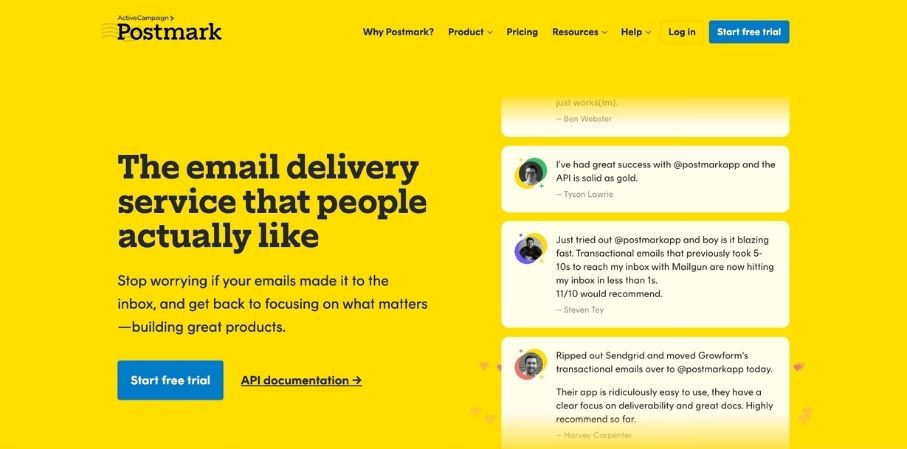
Postmark is a transactional email provider built around delivering email as fast as possible. Like Mailtrap, it maintains separate sending infrastructure for transactional and bulk email, which prevents marketing volume from affecting transactional inbox placement.
Key features
REST API and SMTP with official SDKs for multiple languages
Separate Message Streams for transactional and bulk email
Detailed delivery event logs with per-message delivery timestamps
Pre-built email templates with template rendering API
SOC 2 Type II certified, GDPR compliant, hosted on AWS infrastructure
Email and chat support included on all plan tiers
Postmark pricing
Plan | Price | Included volume |
Trial | $0 | 10,000 emails |
Basic | $15/month | 10,000 emails |
Standard | $55 to $66/month | 50,000 emails |
Pro | $115 to $138/month | 100,000 emails |
Platform | Custom | Custom |
Postmark's trial includes 10,000 emails with no time limit, but doesn’t have a free plan like other providers in the comparison. After the trial, the $15/month Basic plan covers 10,000 emails. Support via email and chat is included at every plan level, which makes Postmark accessible for small teams that need a human response but cannot justify an enterprise support contract.
Who Postmark is best for
Postmark is the right choice for teams that send transactional emails, want fast setup, and value simple pricing. It is strong for small engineering teams or early-stage companies where setup time and support availability matter more than advanced features.
What to look for in an Amazon SES alternative
Before choosing, align on which of these gaps matters most for your use case.
Deliverability infrastructure. High inboxing rates depend on shared IP pool reputation, dedicated IP options, and active inbox placement monitoring. Ask whether the provider has dedicated deliverability experts, not just documentation.
Integration speed. Evaluate the quality of official SDKs, code examples, and SMTP relay support. A provider with native libraries for your stack (Node.js, Python, PHP, Ruby, Elixir) reduces integration time significantly.
Analytics and monitoring. Look for real-time delivery events, open and click tracking, bounce and complaint rates, and per-domain breakdowns. These are the signals you need to catch deliverability problems before they affect users.
Support quality. Check whether human support is included at your plan level, what the response time SLA is, and whether deliverability specialists are accessible. Forum-only support is not sufficient for production email systems.
Compliance and data residency. For teams handling user data under GDPR, verify whether the provider offers EU data residency and has a Data Processing Agreement available. ISO 27001 certification and SOC 2 Type II are baseline expectations for enterprise procurement.
Pricing transparency. Total cost should be predictable from the pricing page. Watch for per-event fees, overage charges, or required support plan upgrades that inflate the real cost.
Frequently asked questions
Is Amazon SES free?
Amazon SES charges $0.10 per 1,000 emails with no monthly minimum. New accounts receive 3,000 free messages per month for the first 12 months. After the free period ends, every email costs money. The actual total is typically 15 to 70 percent above the headline rate once SNS notification fees, CloudWatch costs, and data transfer are included.
What is the easiest Amazon SES alternative to set up?
Postmark is consistently rated the simplest to set up; most teams complete integration in under an hour using SMTP or the REST API. Mailtrap is comparably fast, with extensive code examples for Node.js, Ruby, PHP, Python, and Elixir included in the documentation.
Which SES alternative has the best deliverability?
Deliverability depends on sender reputation, list hygiene, and authentication configuration as much as the provider's infrastructure. Among providers in this guide, Mailtrap is the only one that includes dedicated deliverability experts accessible without an enterprise contract. Postmark's Message Streams architecture keeps transactional reputation isolated from bulk sending, which is a structural advantage for teams with mixed sending patterns. If you're moving off SES and want your new setup checked before you send, book a free deliverability audit.
Can I keep my existing SMTP configuration when switching?
Yes. All providers in this comparison, Mailtrap, SendGrid, Mailgun, and Postmark, support SMTP relay. Switching from Amazon SES to any of them requires updating your SMTP host, port, username, and password. Your existing SMTP integration code does not need to change.
Which Amazon SES alternatives support EU data residency?
Mailtrap and Mailgun both offer EU data residency with infrastructure hosted in European AWS regions. Mailtrap additionally offers a choice of EU or US residency at account setup and provides a Data Processing Agreement as part of GDPR compliance. SendGrid stores data in US-based infrastructure by default.


